 PickyPetal
Pick a petal.
Make a new file.
Drag a file from Explorer, choose a format from the flower, and let PickyPetal do the rest. It handles everyday conversions and editing tools on your own computer.
How it works
Start with the file you already have. PickyPetal writes the result beside it as a new file, leaving the original alone.
Choose a file
Hold Shift while dragging one or more files out of File Explorer. You can also use the tray icon’s Convert Files menu.
Pick a petal
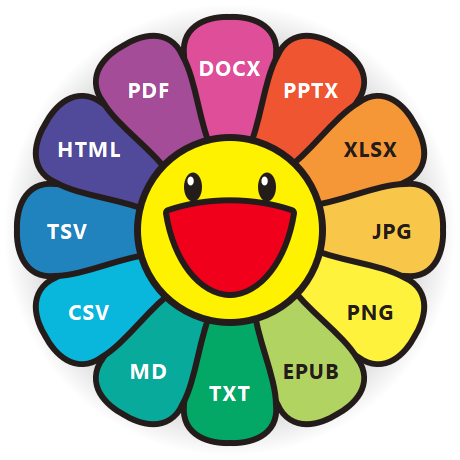
The flower shows formats available for that selection. Choose with a mouse, trackpad, or arrow keys and Enter.
Find the result
Conversion runs in the background. The finished copy appears next to the source file.
Hold Alt+Shift while dragging to open editing tools such as crop, compress, annotate and redact.
Files it can handle
The options shown depend on the file you select. Examples include:
Images & PDF
JPG, PNG, WebP, HEIC, TIFF, AVIF, BMP and PDF. Create image files from PDF pages or make a PDF from images.
Documents & sheets
DOCX, Pages, Markdown, TXT, EPUB, XLSX, XLSM, ODS, CSV and TSV, including common PDF exports.
Audio & video
MP3, M4A, WAV, FLAC, OGG, MP4, MOV, MKV, WebM, AVI, WMV and GIF, with conversion and selected extraction tools.
More tools
Slides, subtitles and archives; image annotation, local redaction, compression, metadata, QR reading and media trimming.
Works without the internet
The installer includes the conversion engines and local text detection. Conversions run on your Windows computer; this website does not receive your selected files.
Results vary with the source. Complex layouts should be checked after conversion; some optional archive formats need another local program.
Take PickyPetal for a spin
Download the installer and run it. Start PickyPetal automatically when I sign in to Windows is selected during setup, so the app will be ready in your tray after future restarts. You can also open it from the Start menu. The conversion tools are included for offline use; no account is needed.
Installer size: 581.0 MiB (609,247,734 bytes). This build is unsigned, so Windows may show an unrecognized app warning. Check the SHA-256 before running it.
Installer SHA-256 5b4f14ff3158a883203b7869f6bad8e9cf906f88264e9462d6f7039176aef019
Prefer to run it manually? Download the portable ZIP (912.5 MiB). Extract the whole folder and open PickyPetal.exe.
Portable ZIP SHA-256 19768972c8df9fc6c4b34fefbb396bd4b5f8f9ec7df26a271844c645709c8148
Third-party notices · Source access guide · Download source archive